iPhone · Apple Watch
You're not getting better at pickleball.
You're getting better at your mistakes.
PickleRecord turns the games you already play into proof you're improving. Two taps per game, and your season becomes win rate, streaks, and trends you can actually read. Wear an Apple Watch? It counts your swings too.
A busy session runs about 220 swings. We count them from wrist motion — an honest estimate, not a laser.
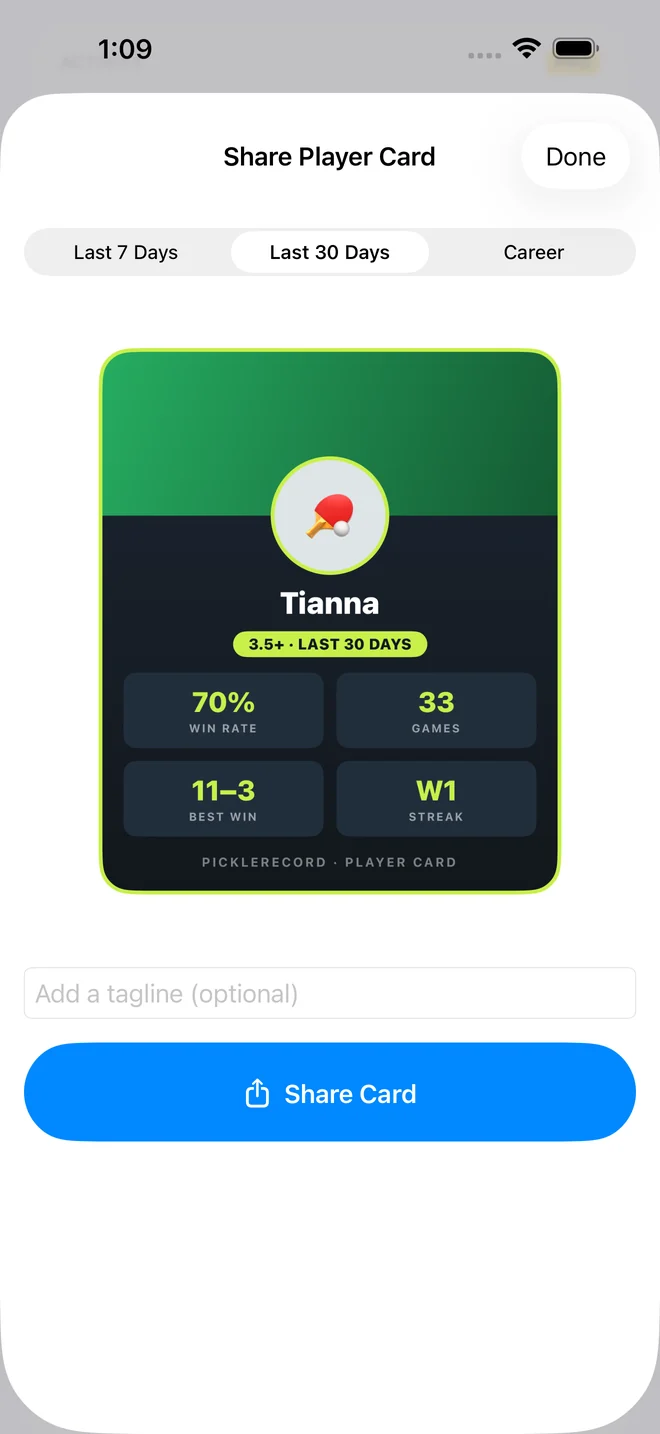
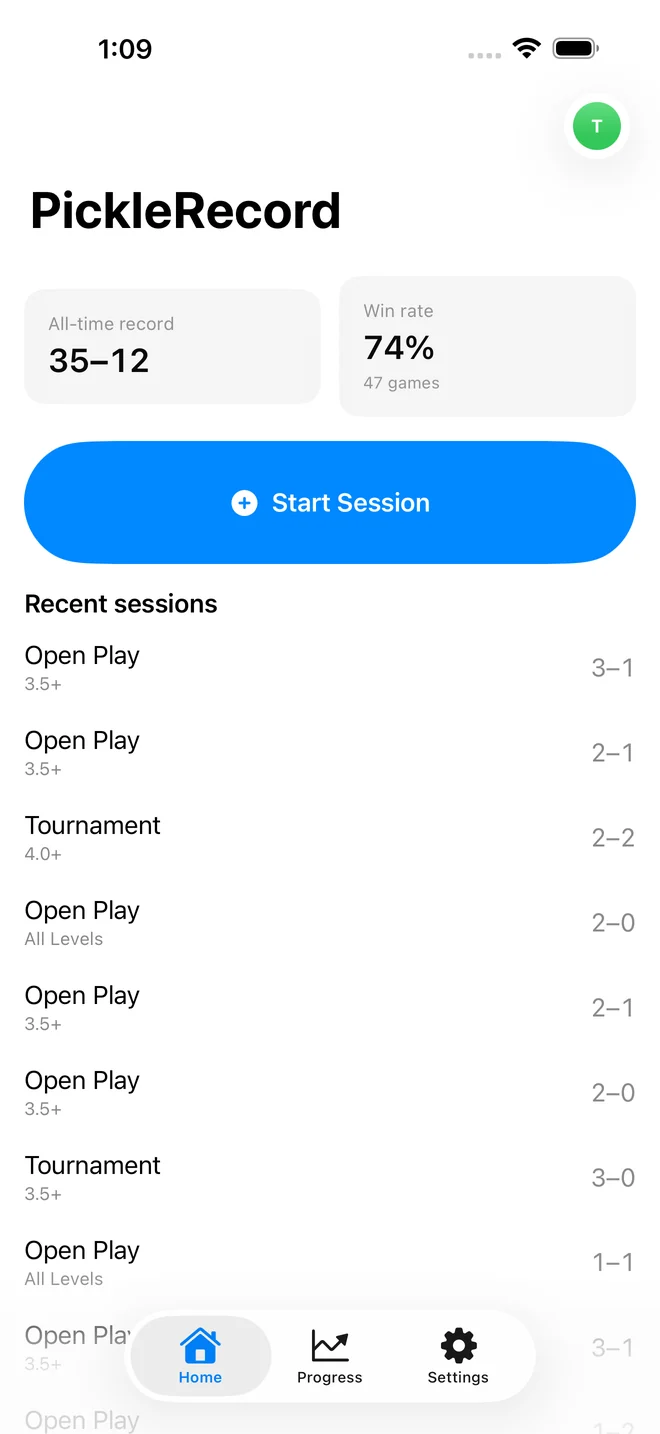
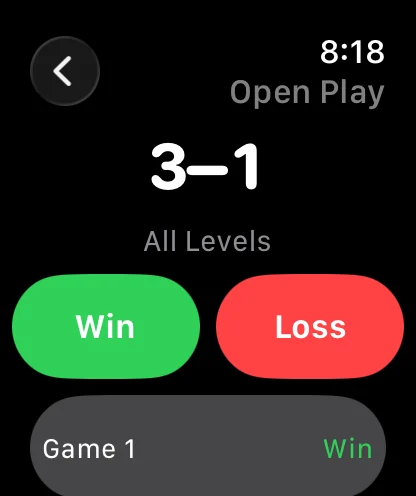
Screenshots show demo data seeded for illustration — six weeks of sessions on a test device.
How it works
Start a session. Tap Win. That's the whole thing.
Scores, court, session type and notes are all optional. The only required tap is Win or Loss — so logging never pulls you out of the game. Mistyped something? Edit or delete any game later.
Sessions group your games the way you actually play: one Tuesday open play, one league night, one drilling hour — each with its own record.
Step 1Start a session
Step 2Win or Loss — from your wrist
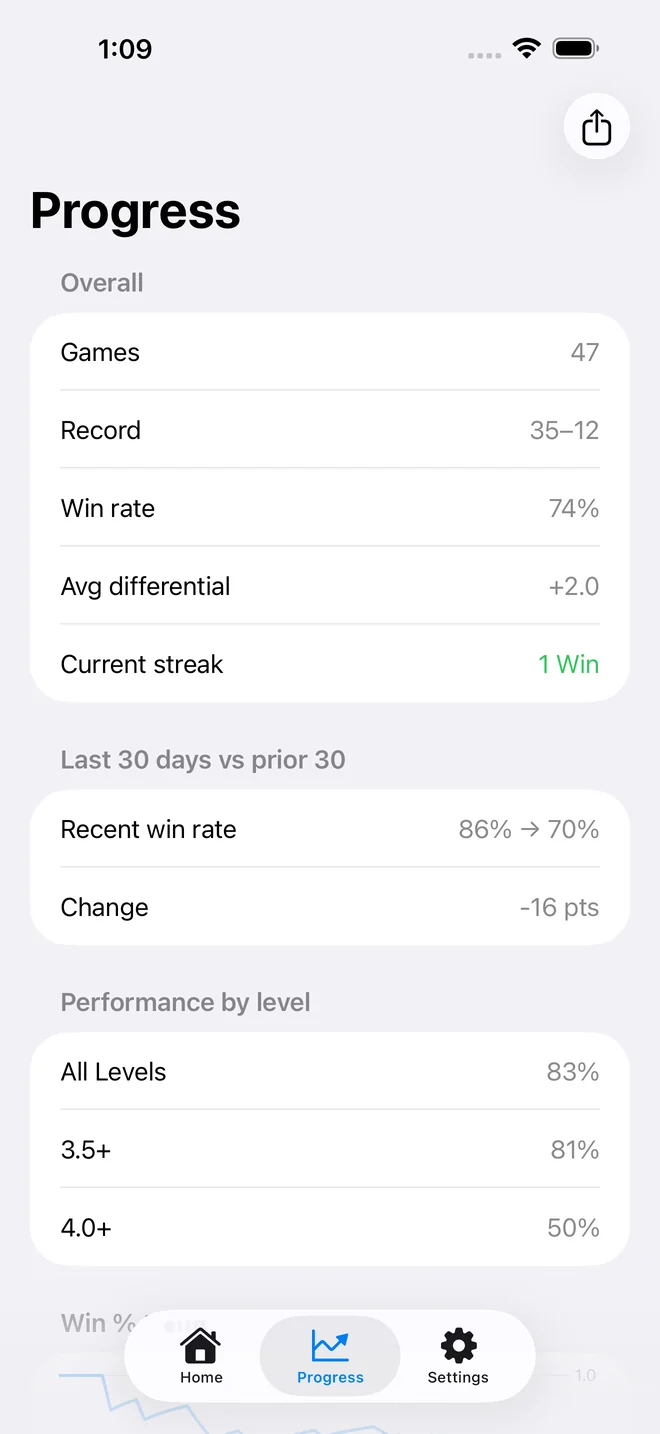
Step 3Your record updates itself
Apple Watch
The phone stays in the bag.
The record still gets kept.
A real watchOS app, not a notification mirror. Start a session, score it, and end it from your wrist — everything lands on your iPhone by itself.
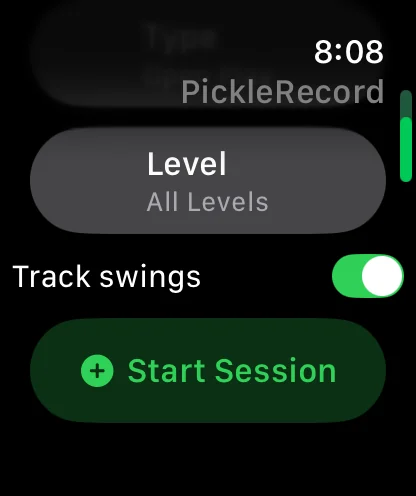
Start without your phone
Pick session type and skill level on the watch and go. The iPhone can stay in your bag the whole session.
Score from your wrist
Win or Loss, one tap between games. No screen to wake, no walking back to the bench, no forgetting the result.
Add the score if it mattered
Type it, or say it — "eleven seven" is enough. Optional every time.
The session builds itself
Every game stacks up on the watch as you play, then syncs to your iPhone and saves to Apple Health as a pickleball workout — so you get the Activity ring credit too.
Six weeks in
Every match you log makes the next number truer.
One game tells you nothing. Forty-seven tell you whether the third-shot drop is working. PickleRecord keeps every game you have ever logged — unlimited history, on the free tier, permanently — so the trend has something to stand on.
CoreMotion, on the watch
We count your swings. Here's what it can't do.
Your Apple Watch reads the accelerometer while you play and counts swings live, on the watch. The raw motion is analysed as it arrives and thrown away when the session ends — only the count is kept.
- Ball handling and arm movement between points can read as swings, so the count runs a little high.
- It does not know a dink from a drive, or a swing from a whiff.
- Treat it as an honest measure of how much you played — not a laser count of paddle contacts.
Telling shot types apart needs motion-shape analysis. That's post-launch work, and we would rather say so than imply we already do it.
Pricing
The record is free.
The coaching is Pro.
Your match history is never held hostage. Every game you log stays readable forever without paying — no 30-game cap, no trial wall on your own data. Pro adds the analysis on top.
Free
Free, forever
- Unlimited match history
- Record, win rate, current streak
- Last 30 days vs the prior 30
- Performance by opponent level
- Apple Watch app, swings counted every session
- Apple Health workouts
Pro
$2.99/month · $19.99/year · $39.99 once
- Differential trend — are wins getting more convincing?
- Streak records, best and worst
- Games per week and swings per session
- Personal bests
- Splits by session type and skill level
- Per-session swing stats — your first session is free
- CSV export of everything
The annual plan includes a 7-day free trial. The $39.99 lifetime purchase is a one-time payment — about two years of the annual plan, and then it stops costing anything. Annual and Lifetime both include Family Sharing. Auto-renewal and cancellation terms are in the footer below.
Private by design
No account. No ads. No server.
Nothing to leak.
There is no sign-up, because there is nowhere to sign up to. Your matches live on your iPhone and Apple Watch and go nowhere else. We could not sell your data if we wanted to — we never receive it.
This website has no analytics either. Open your browser's network tab and check — the only third-party requests are the two Google Fonts hosts.
Questions
The things people ask first.
Does it work without an Apple Watch?
Yes. The iPhone app is complete on its own — sessions, games, scores, stats and history all work with no watch at all. The watch adds wrist scoring and swing counting.
Does it call the score out during play?
No, and that is deliberate. PickleRecord is not a live scorekeeper — it does not track serving rotation or announce 5-3-2. You log the result after each game and it builds your record from there. If you want spoken scoring mid-rally, you want a scorekeeper app instead.
How accurate is the swing count?
It is an honest estimate, not a precise count. Swings are read from wrist motion on the watch, and ball handling or arm movement between points can register as swings, so it runs slightly high. It is a good measure of how much you played, not of how many times you struck the ball.
Is my history capped on the free tier?
No. Unlimited match history is free forever. Pro adds analytics — trends, splits, records — on top of data you always keep.
Can I get my data out?
Yes, as a Pro feature. Export your full game history as CSV from Settings. Free or Pro, your data always lives on your device and is never locked in — Pro just adds the one-tap export on top.
Does it need an account or an internet connection?
Neither. There is no sign-in and no server. Everything is stored on your own devices and the app works fully offline — which matters on courts with bad reception.